
This Article will explain how we can add multiple users for Access request notification using Site administration option.
The little article and trick will help using normal email l sending configuration and how we can use on “Access request notification”, first we need to go to “Site Action> Site Settings>Permission” there we have the option “Manage Access Requests”.
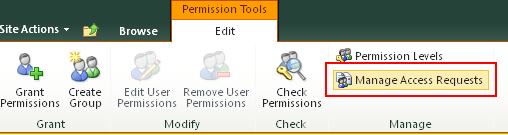
When we access “Manage Access Requests”, we can define one or multiple users to be warn about the request, a lot of people think this is limit to “one user” that is not true, only need to add a semi-colon (;) to separate the emails account.
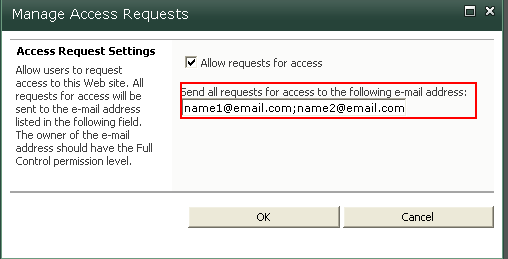
With this change you can define multiple users for the notification access request email, very easy and simple…
 paulgilbride.com